
installation and activation Samsung
Follow these steps to install and activate your Fulldatos eSIM.
Before you travel (installation)
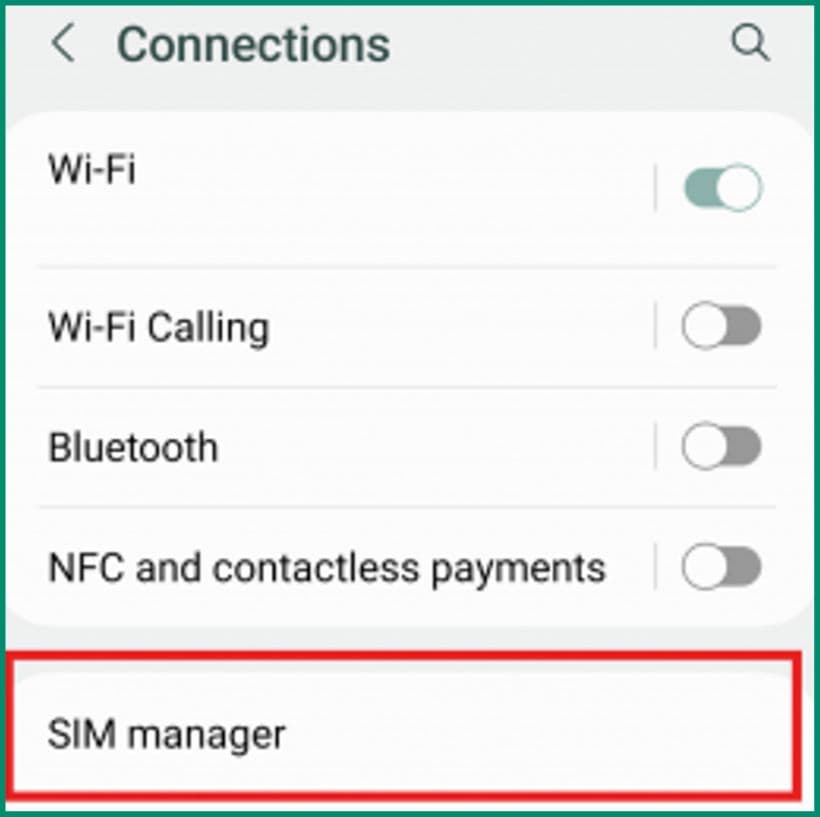
Open Settings on your mobile device
In Settings, select the Connections option and go to SIM manager.
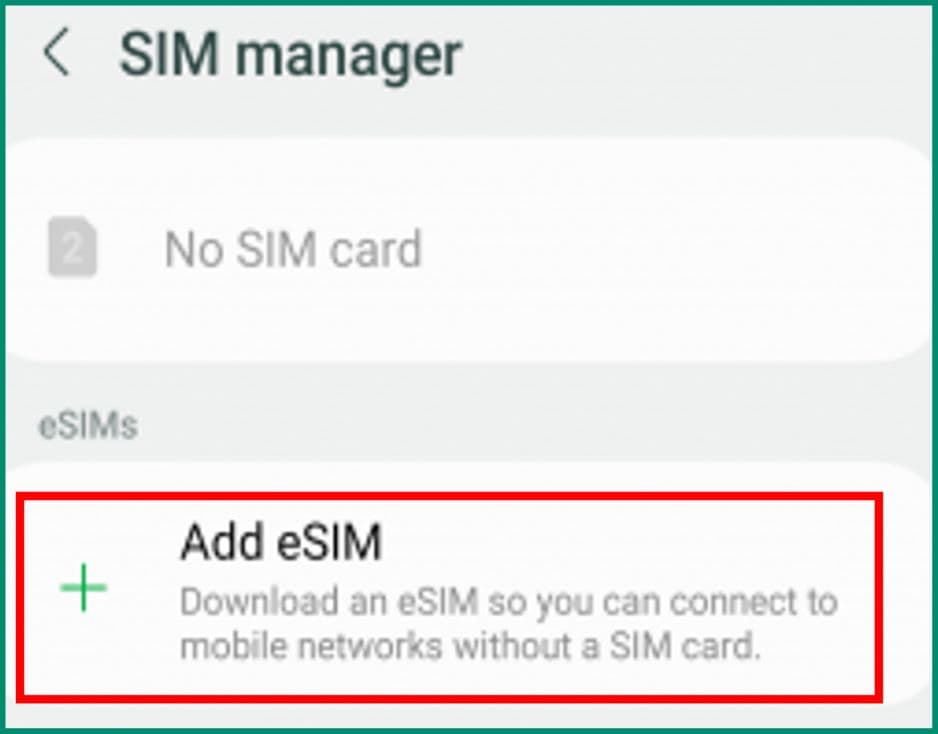
Press Add eSIM
Then select the Scan QR code option to begin the installation.
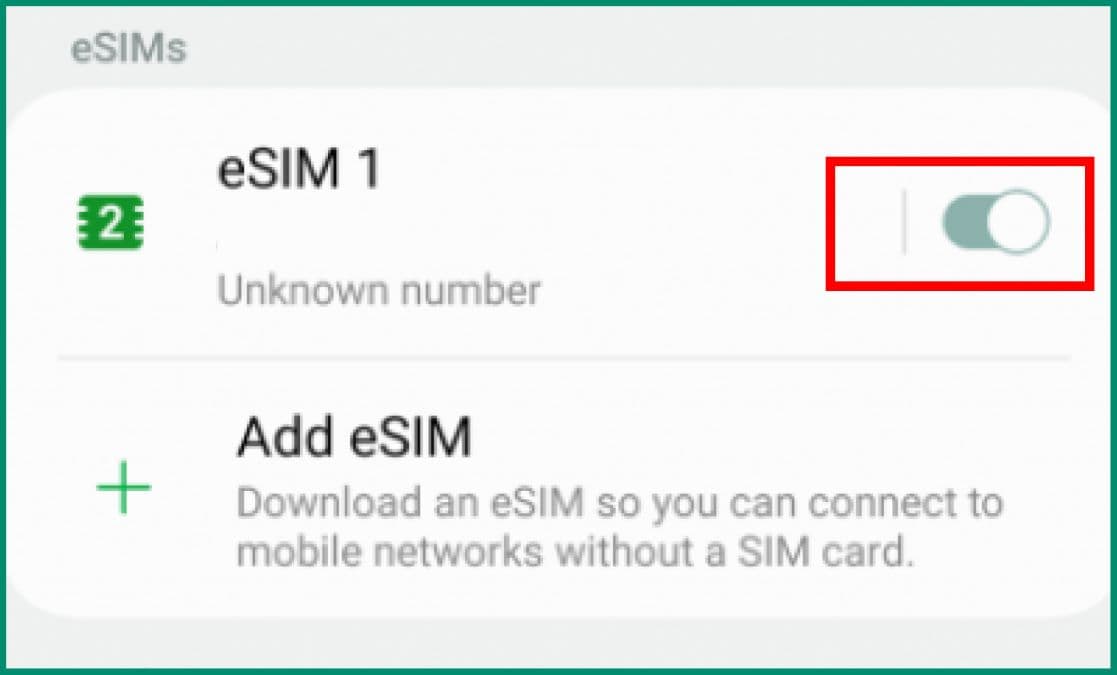
Turn off the eSIM before you travel
Keep your eSIM off and turn it on when you land at your destination. Press the button next to the eSIM to turn it on or off, in the Connections → SIM manager menu.
When you arrive at your destination (activation)
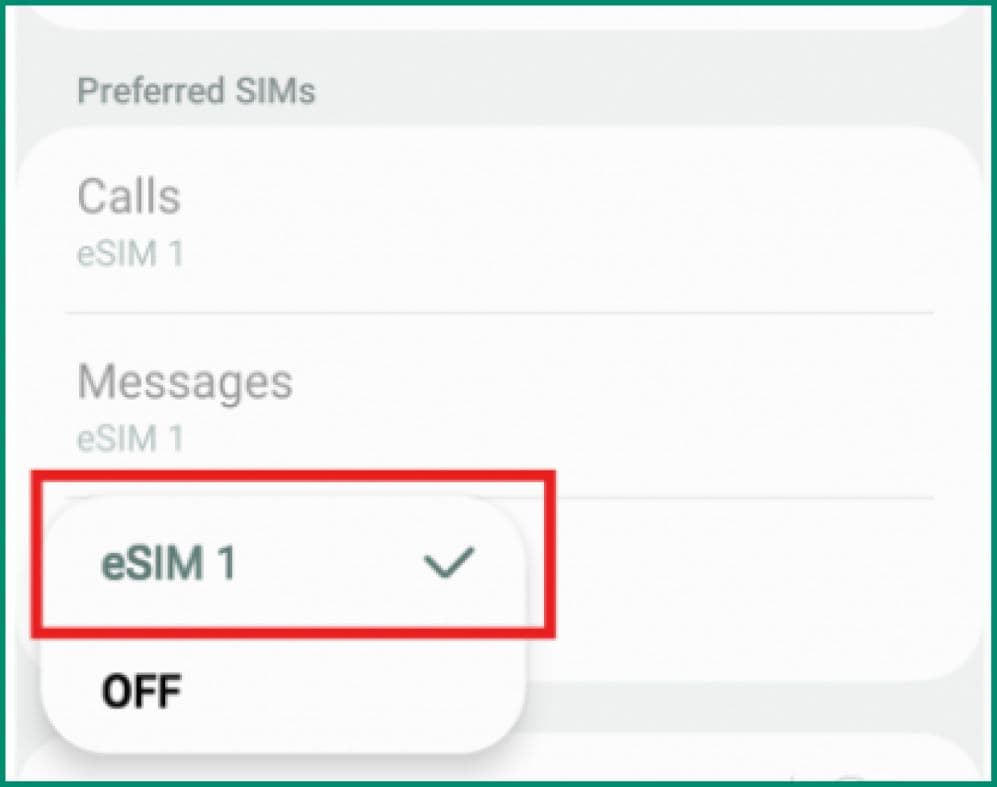
Assign your mobile data to the new eSIM
In the SIM manager menu, press Mobile Data and select the new Fulldatos eSIM.
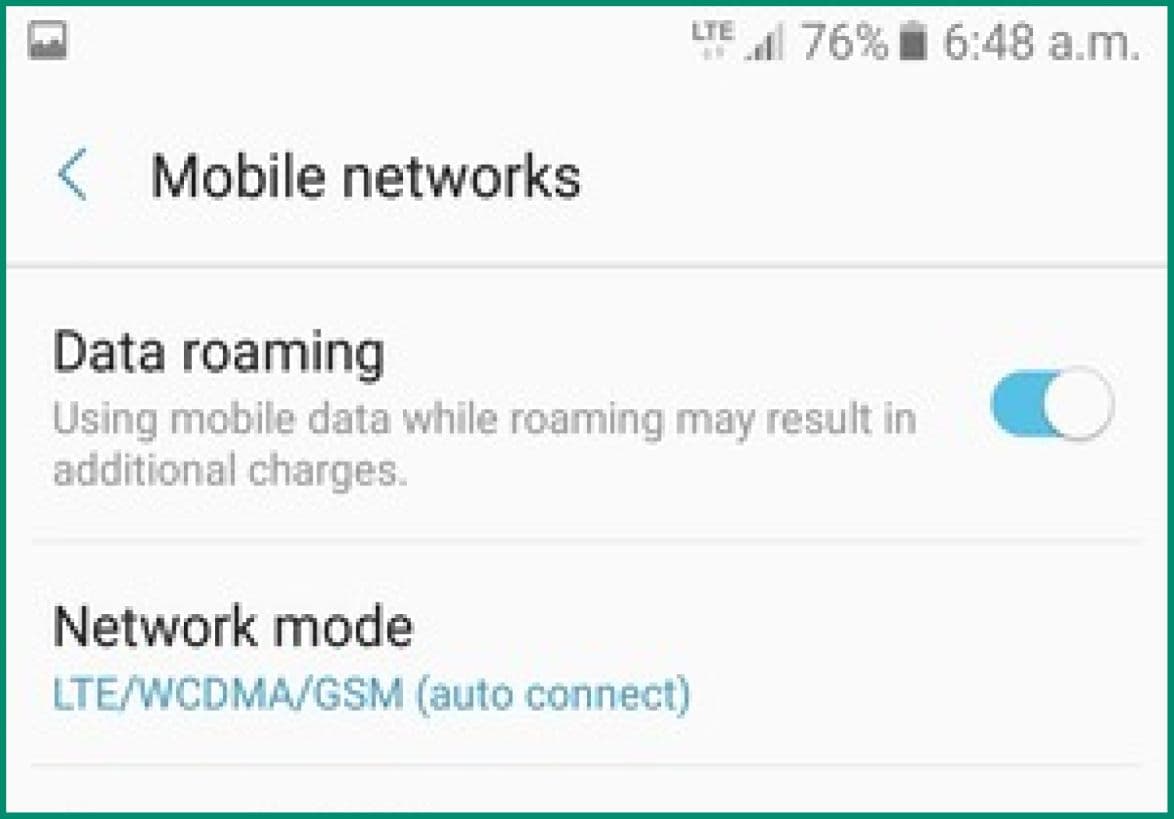
Turn on Data Roaming
Return to the Connections menu, go into Mobile Networks and turn on the option labelled Data Roaming to activate your eSIM.
Turn off your primary SIM to avoid charges
Turn off your primary SIM to avoid unwanted charges from your local provider and activate the Fulldatos eSIM.
Additional notes
Turn off your primary SIM to avoid unwanted charges from your local carrier, and turn on the Fulldatos eSIM.
When your trip ends
When your trip ends, turn your primary SIM back on; you can then delete or deactivate the Fulldatos eSIM. We recommend that you don't delete it, so you can top it up for your next trip and avoid installing a new one.
Top-ups and usage
Check the following link to monitor your usage and generate top-ups for your eSIM.
Can I use an eSIM?
Compatible phones
Tap your phone's brand to see the models compatible with eSIMs.