
installation and activation Google
Follow these steps to install and activate your Fulldatos eSIM.
Before you travel (installation)
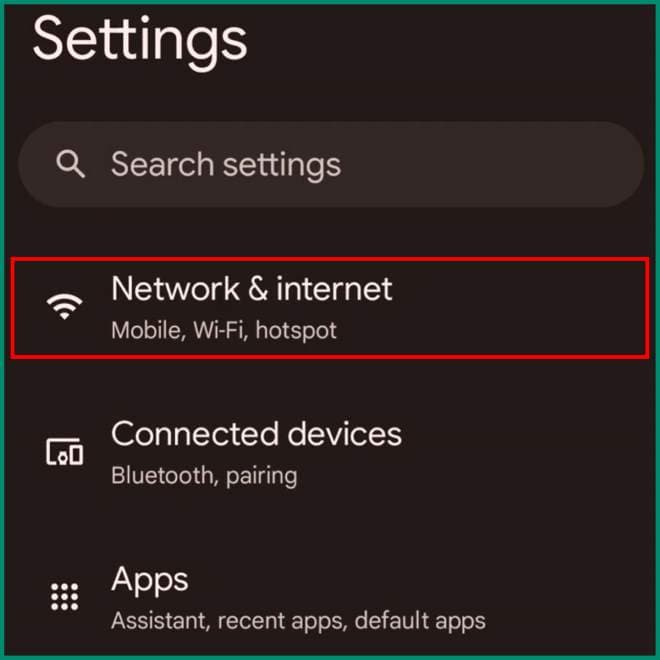
Open Settings on your mobile device
In Settings, select the Network & Internet option.
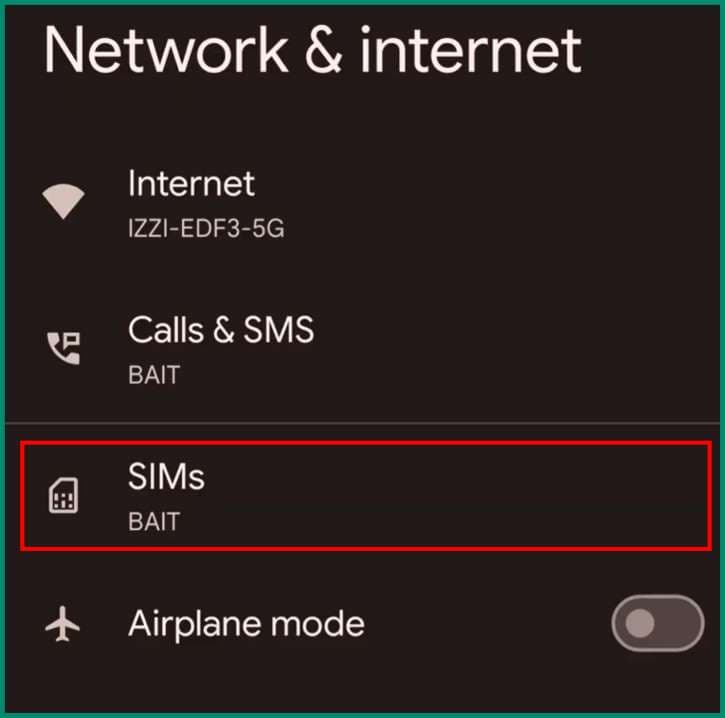
Select the SIMs option
Within the Network & Internet menu, select the option labelled SIMs.
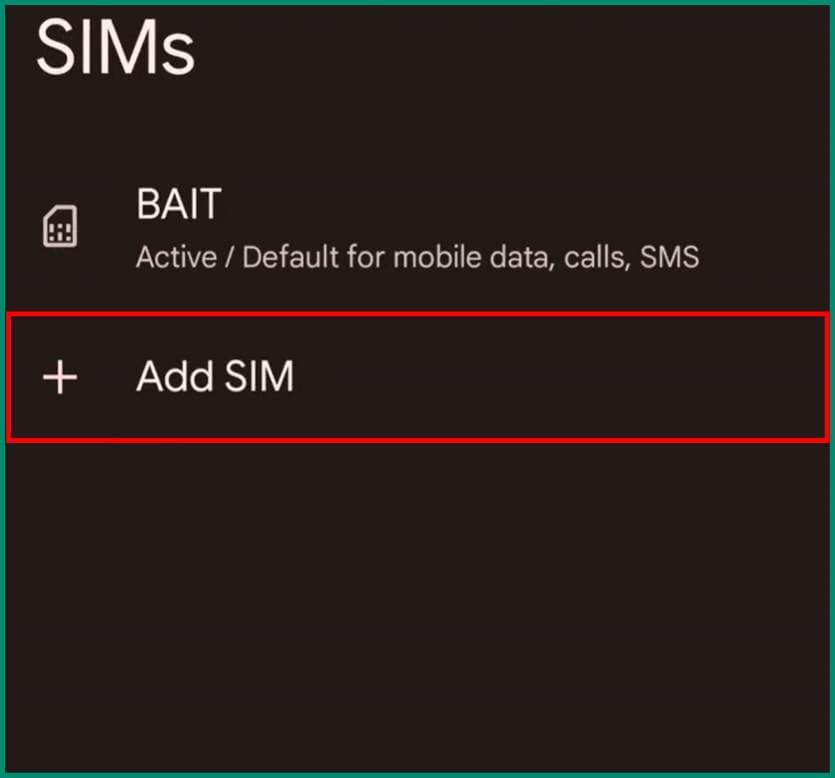
Select the option to Add SIM
In the SIM menu, select the option Add SIM and then press the 'Set up an eSIM' button.
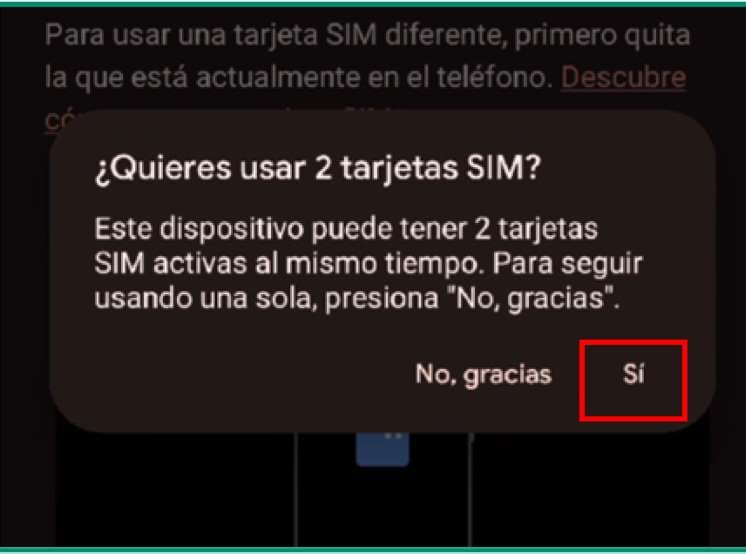
Enable the use of two SIMs
If a message appears asking whether you want to enable two SIMs on your device, select 'Yes'.
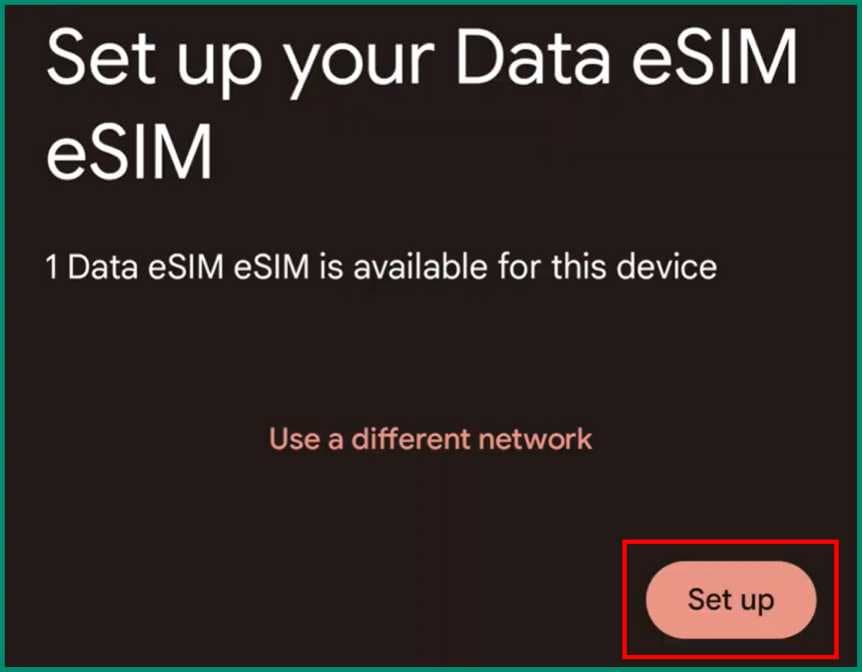
Select Set up
After scanning the code, your device will ask if you want to set up the eSIM. Press Set up.
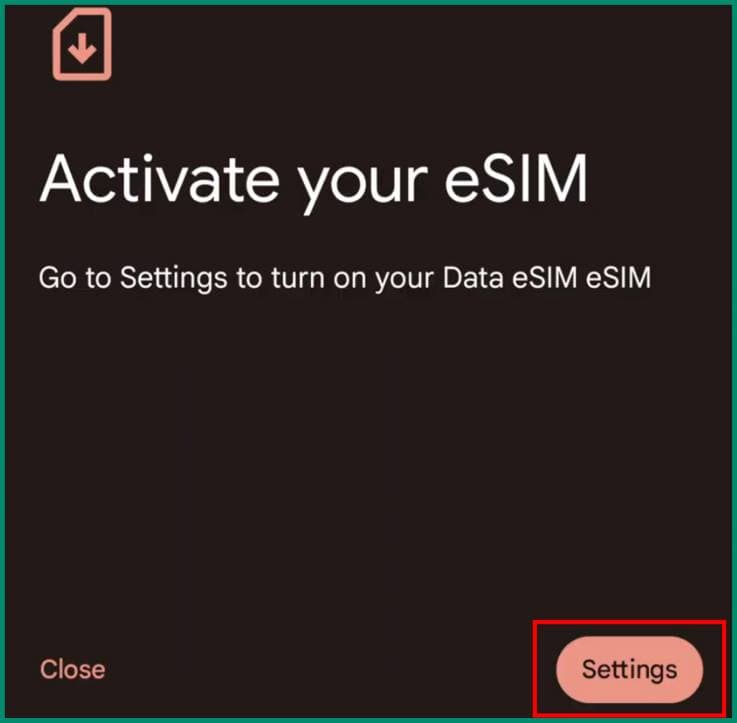
Select Settings
Next, your device will instruct you to go to Settings to activate the eSIM. Press the Settings button.
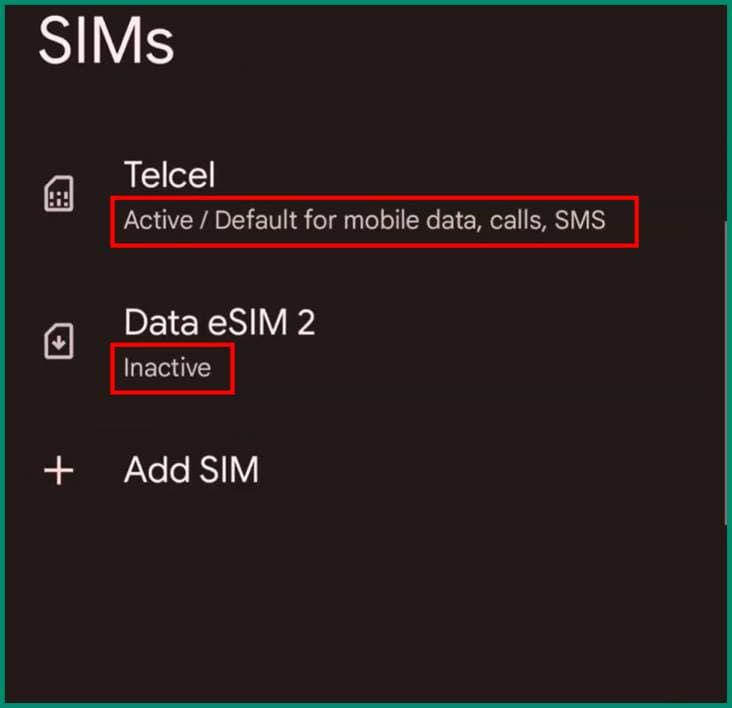
Turn off the eSIM before you travel
If you're not travelling yet, we recommend keeping your primary SIM active and your eSIM inactive.
When you arrive at your destination (activation)
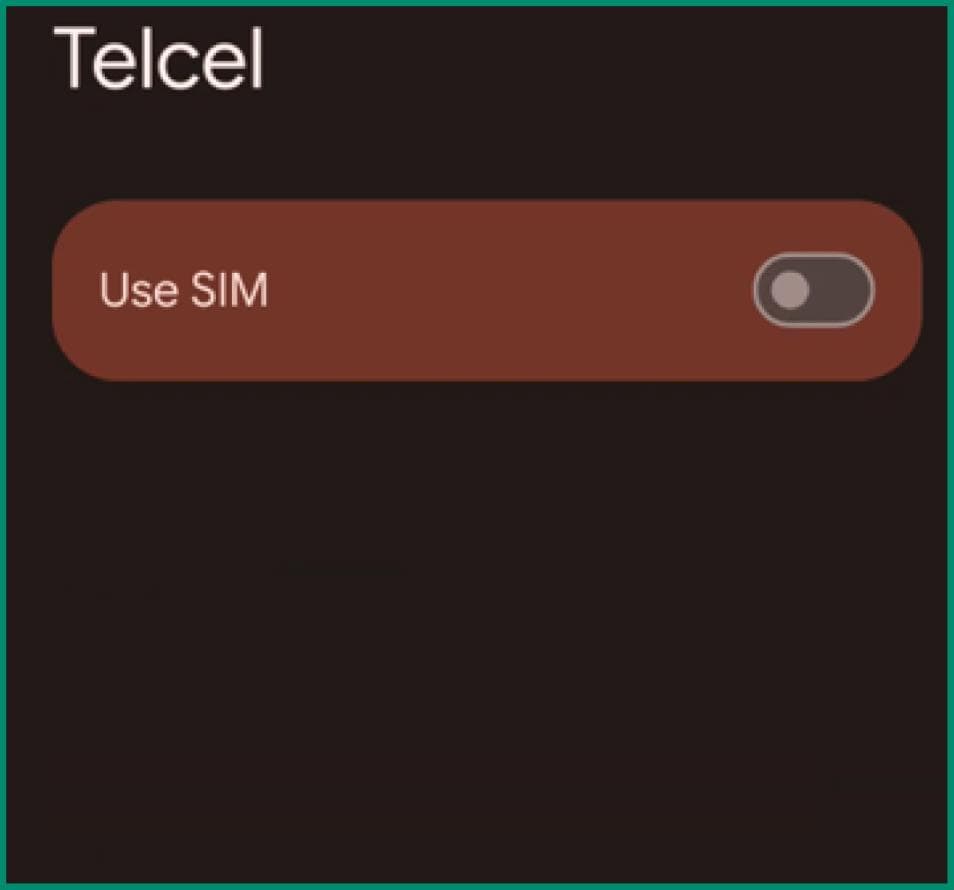
Turn off your primary SIM when you arrive
If you're already at your destination, select your primary SIM and turn off the 'Use SIM' option.
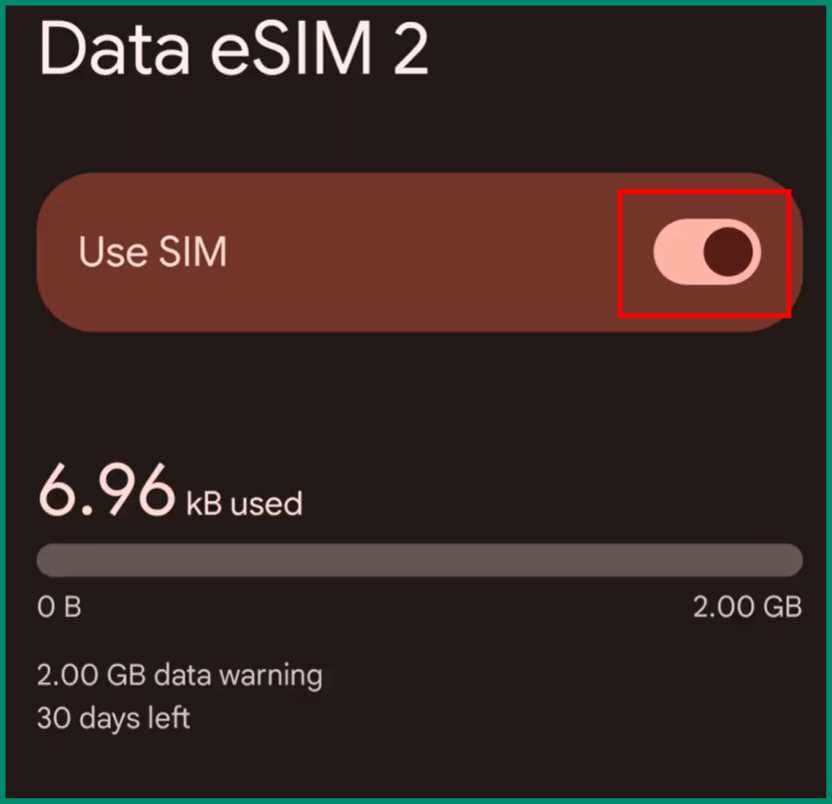
Activate your eSIM
Go back to the SIMs menu and select your eSIM. Turn on the 'Use SIM' option to activate it.
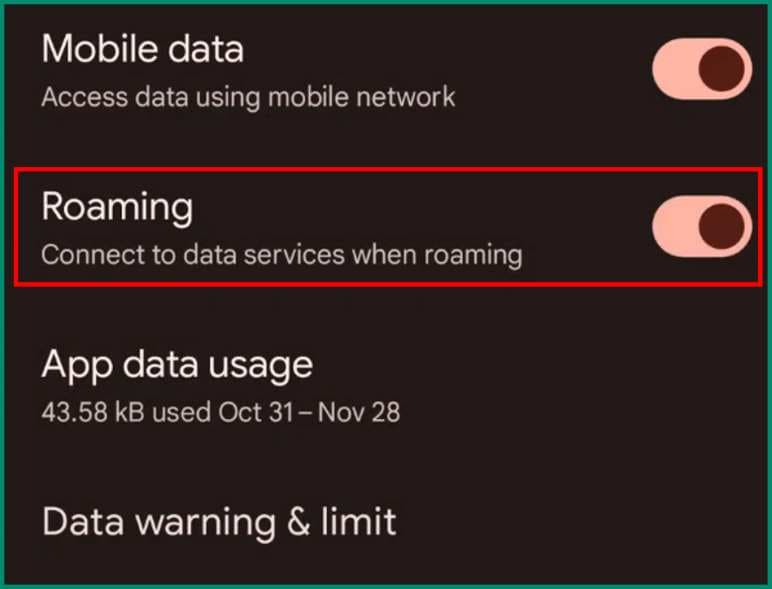
Enable data roaming
Once your eSIM is activated, in the same menu there will be an option called Roaming. Make sure it is turned on. This is essential for your eSIM to work.
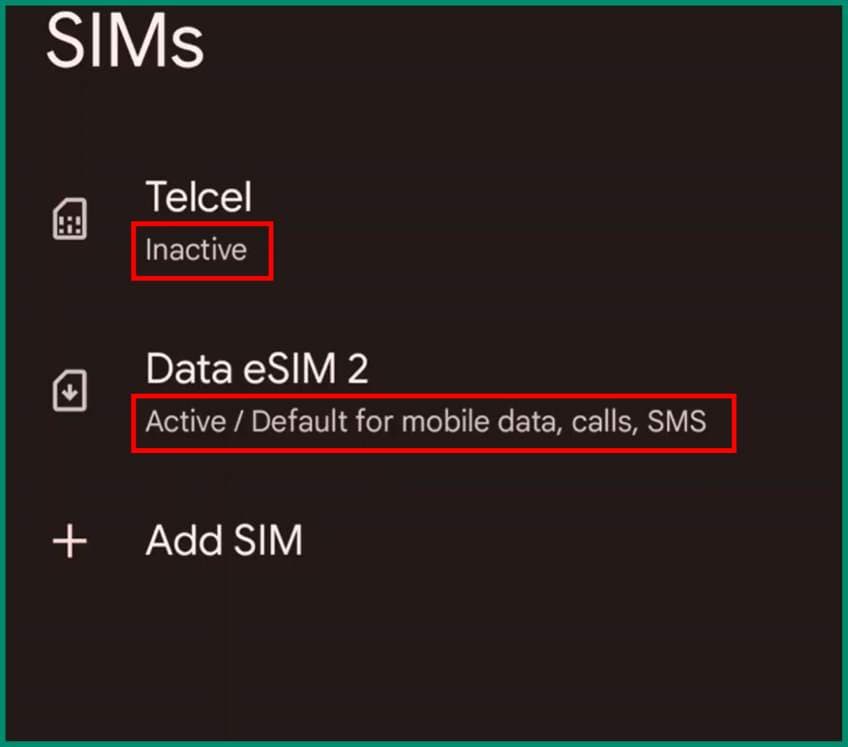
Your SIMs should look like this
While at your destination, your primary SIM should show as 'Inactive' and your eSIM should show as 'Active'. If so, your eSIM is ready to use.
When your trip ends
Re-enable your primary SIM, then you can deactivate or remove the Fulldatos eSIM. We recommend that you don't remove it, so you can top it up for your next trip and avoid installing a new one.
Top-ups and usage
Check the following link to monitor your usage and generate top-ups for your eSIM.
Can I use an eSIM?
Compatible phones
Tap your phone's brand to see the models compatible with eSIMs.